Follow one shift, from start to finish.
Every booking is a single record, from the first request to the line on that week's invoice. Software does the matching, and people do the checking.
- Requested7:32 AM
- Confirmed7:36 AM
- Checked in8:05 AM
- Approved3:40 PM
- On the invoiceWeekly
Booked in minutes, before the school day begins.
Schools pick a year level and bell times. Early learning centres pick a room, a qualification level and any shift, openers and closers included.
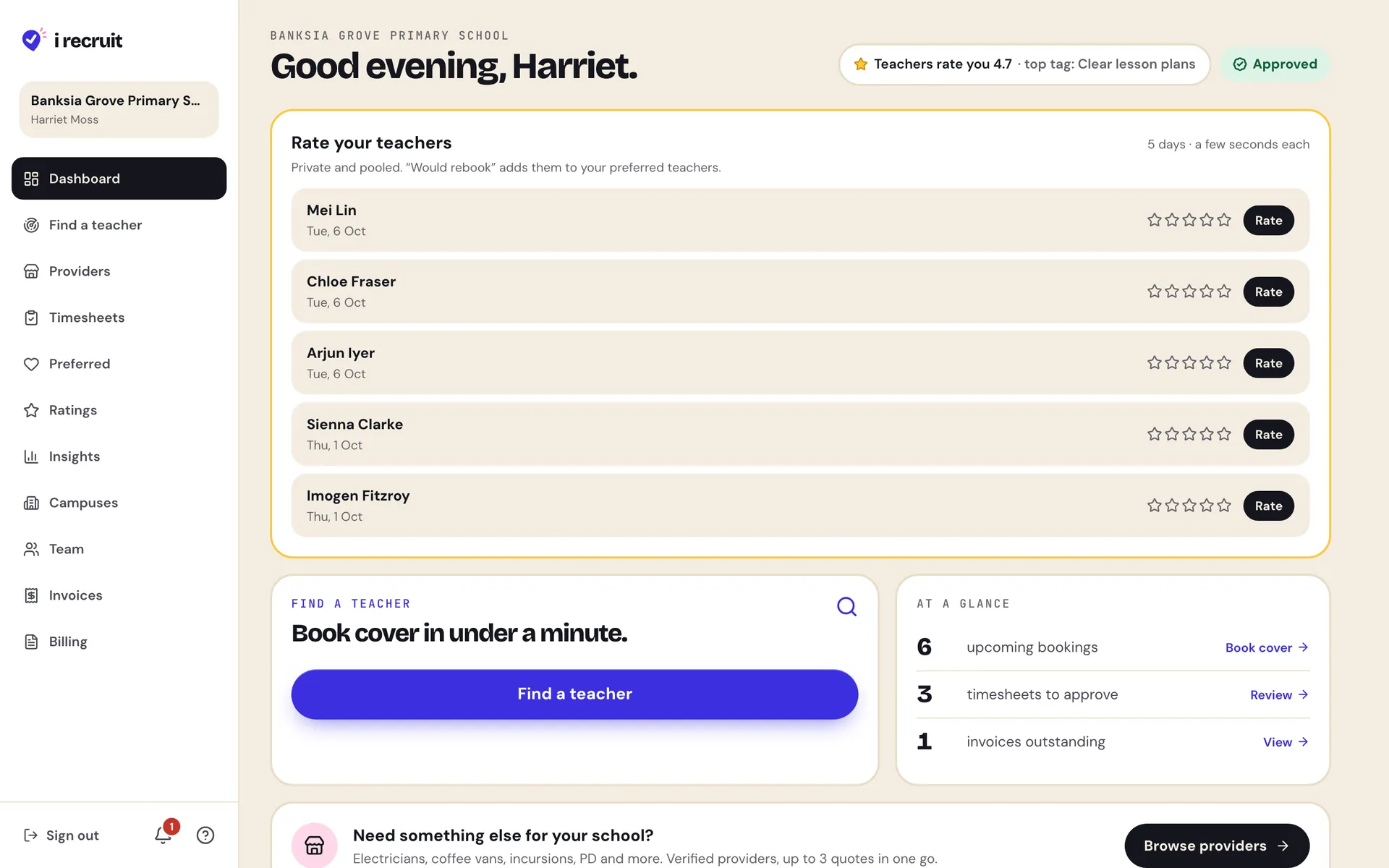
- 7:32 AMRequest
Pick the day, year level and hours. Add notes for the educator. It takes less than a minute.
- 7:33 AMSearching
Preferred educators see it first, then verified educators nearby, in small waves. You watch it live.
- 7:36 AMConfirmed
An educator accepts. You get a push alert and see their verified badges.
- 8:05 AMCheck-in
The educator checks in on arrival, and your office can see it straight away in the portal.
- 3:40 PMApprove
Approve or query hours with one tap after the bell, then rate the day.
- WEEKLYInvoice
You get one clear invoice a week, with each shift priced from your agreed rate card. Pay by bank transfer, card or BECS.
Whether you need cover tomorrow or next term, there is a clear path.
Schools and centres can book relief cover up to 12 months ahead. How a day is filled depends on how far away it is.
Short notice
- 01Request the day in less than a minute, from your phone or the platform.
- 02Your preferred educators receive the offer first, followed by verified educators nearby, in small waves. Requests made overnight are held until 7am.
- 03The first educator to accept is confirmed, and you are notified straight away.
Advance booking
- 01Click a day on your month calendar to book it, or book several separate dates or a block of days with one educator.
- 02Your preferred educators receive a 24-hour head start, then eligible, verified educators can apply, with an optional note.
- 03Review who has applied, with their rating, distance and qualifications and a suggested best match, and approve the educator you want. Everyone else is let know politely.
- 04If nobody has been approved three days before the day, automatic offers begin so the day is still filled. Every booked day is checked daily against the educator's registration and checks until it arrives.
Get ready once, then work when you want.
- 1Sign up
Create your profile and tell us your year levels, subjects, suburbs and travel radius.
- 2Get verified
Upload your registration, right to work and your state's child-safety check. We contact your referees on your behalf, and a member of our team reviews everything.
- 3Go online
Flip the switch whenever you want work, and offers that match you will start arriving. You can also apply for days weeks or months ahead from Available days.
- 4Accept
Accept in two taps before the timer runs out. You're booked, with directions and school notes.
- 5Teach
Check in when you arrive and check out at the end of the day.
- 6Get paid
You're paid weekly for the hours you were booked, with payslips in Employment Hero and super paid on time.
Two-way ratings, after every day.
Quick, private feedback in both directions, so good matches happen again.
- After every day
The school rates the educator and the educator rates the school, with stars and quick tags.
- Double-blind and pooled
Nobody sees the other side's rating. Scores are anonymous and show after five ratings.
- Good fits come first
Schools offer shifts first to the educators they rated highly. Educators see a school's score before accepting.
- Safety stays separate
Concerns go to our safeguarding team, not the score. Staff review ratings for fairness.
Always know where things stand.
Educators, schools and our team see the same eight statuses everywhere. Colour, icon and label always travel together, so status never relies on colour alone.
- 01Ready to WorkEDUCATOR
- 02References pendingEDUCATOR
- 03SearchingSCHOOL
- 04FilledSCHOOL
- 05Awaiting approvalSCHOOL
- 06PaidFINANCE
- 07OverdueFINANCE
- 08FlaggedTEAM
Smart matching that is fast, fair and easy to explain.
- Safety first, always
Compliance, availability, radius and blocks are hard filters. Ranking only sets the order.
- Favourites first
Your preferred educators are offered first, then the best-ranked in small, timed waves.
- Explainable
Rankings use distance, year level, subject, experience, ratings, reliability and fairness.
- People can override
In shadow mode the system suggests and an allocator sends; in auto mode it sends itself. Every override records who made it and why.
- Preferred by your school
- Distance
- Year level or room
- Subject areas
- Experience
- Ratings
- Reliability
- Fair share of offers
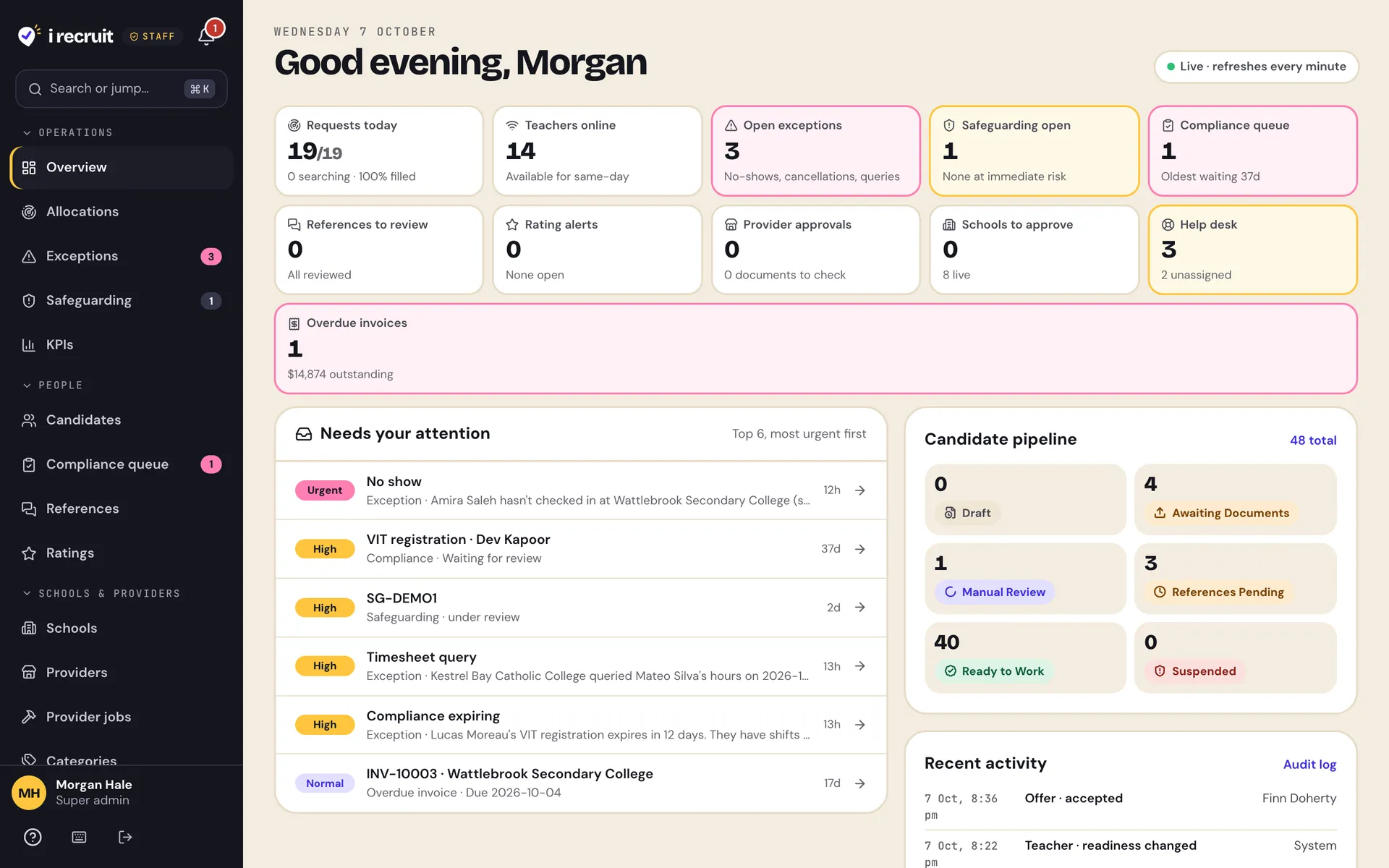
Real people keeping watch, so you don't have to.
Our allocators work from a live control tower. Software spots the exceptions, and a person picks up the phone.
- Live map
Every request and booking for the day, in one view.
- Exceptions first
Unfilled requests, missed check-ins and cancellations rise to the top.
- Timesheet ladder
A reminder at 24 business hours, overdue at 48, optional auto-approval after that.
- Push, SMS and inbox
Alerts by push with SMS backup, email, and an in-app inbox for everything.
Everything included, for schools and educators.
Here is what schools and centres get, and what educators get, in one platform.
For educators
- Live
The Better Us Project
A private 60-second daily check-in from day one. It is yours alone: no school, and nobody at I Recruit, can read it.
- Live
PD Hub: 48 courses
48 on-demand courses from The School of Play Academy, with a certificate for each one you finish. It unlocks after five completed shifts.
- Live
A free year of ClassBreak
Twelve months free after five shifts. Teach 50 days with us in a year and it renews free again. You never need a card.
- Live
School of Play Academy certificate
The Certificate in Play-Based Well-being Education, free once you've completed 50 days (normally $295).
- Live
National registration hub
Every state and territory registration in one place: renewal countdowns, PD log, statements of service and one-click audit packs.
- Live
Consent centre
Switch each kind of sharing on or off, and see every time your records are viewed. Schools see a badge, never your registration numbers.
- Live
Specified-work tracker
On a 417 or 462 visa? Log specified work with any employer, see which days count towards a 2nd or 3rd visa, and download a summary.
- Rolling out
Work rights checks
Declare your work rights once. Checks against the Home Affairs VEVO service are built in and switching on in stages.
- Live
Choose your days ahead
See upcoming days near you that match your year levels, subject areas or rooms, apply for the ones you want, and lock in work weeks or months ahead.
- Live
Weekly pay
Paid weekly through Employment Hero, with your payslips there and super paid on time.
- Rolling out
Interviews on Microsoft Teams
Book, join and reschedule interviews from your portal, with calendar invites and reminders in your time zone.
- Live
The educator app
Add it to your home screen in seconds. You get push alerts for offers, and check-ins still record when you're offline.
- Live
Registration reminders
You get reminders 60, 30 and 7 days before your teacher registration expires, and before annual fees fall due.
- Live
Early childhood roles
Openers, middles and closers in long day care, kinder and OSHC, matched to your qualification and age groups.
For schools and centres
- Live
Book cover in under a minute
Enter the date, times, role and year level or room. Your campus, bell times and notes are remembered.
- Live
Advance bookings, up to 12 months ahead
Book single days, several dates or a block with one educator from a month calendar. Verified educators apply, and you approve the one you want.
- Live
Live fill
Watch the search widen in real time, and get a push alert when an educator confirms.
- Live
Approvals
One-tap timesheet approval, plus approval limits: provider spend above a limit needs a second admin.
- Live
Ratings and Insights
Double-blind ratings both ways, and Insights on your cover, educators and spend.
- Live
Early learning centres
Book by room, qualification and shift (opener, middle, closer or full day). ECEC checks are verified first.
- Live
The Better Us Project, free
Whole-school wellbeing program free for 12 months after your first 10 bookings, renewed every year you book 200 or more days.
- Rolling out
Department clearance workflow
For government schools whose Department requires it: status lights on every educator, decided only by the Department's Compliance Office.
- Live
“Verified by I Recruit”
With the educator's consent, see when and how we last verified their registration for your state.
- Live
Multi-campus and school switcher
Every campus under one sign-in. Switch schools in one tap, with approvers and finance contacts per campus.
- Live
Provider marketplace
Search for vetted trades, catering and PD providers, request quotes and book them free, including our founding partners.
- Live
Every time zone
Bell times, service hours and business-hour rules run on each campus's own clock.
- Live
Australia-wide
Every state and territory, metro and regional, with each state's own child-safety check.
Sort tomorrow's relief cover tonight.
Set up your school in 10 minutes. There are no lock-in contracts, and you pay only for approved hours.